
Key takeaways ✺
- WhatsApp's product catalog is a free, built-in feature of the WhatsApp Business App: up to 500 items, up to 10 photos each, no subscription needed to use it.
- The catalog can't tell a customer what's in stock today: WhatsApp doesn't sync inventory, so you hide sold-out items by hand, one by one.
- A chatbot sits on top of the catalog to answer real-time questions, book appointments, and send payment links. That's the difference between someone browsing and someone buying.
- If you're getting a handful of WhatsApp enquiries a week, the free catalog plus you replying personally is genuinely enough. This isn't a piece talking you into automation you don't need yet.
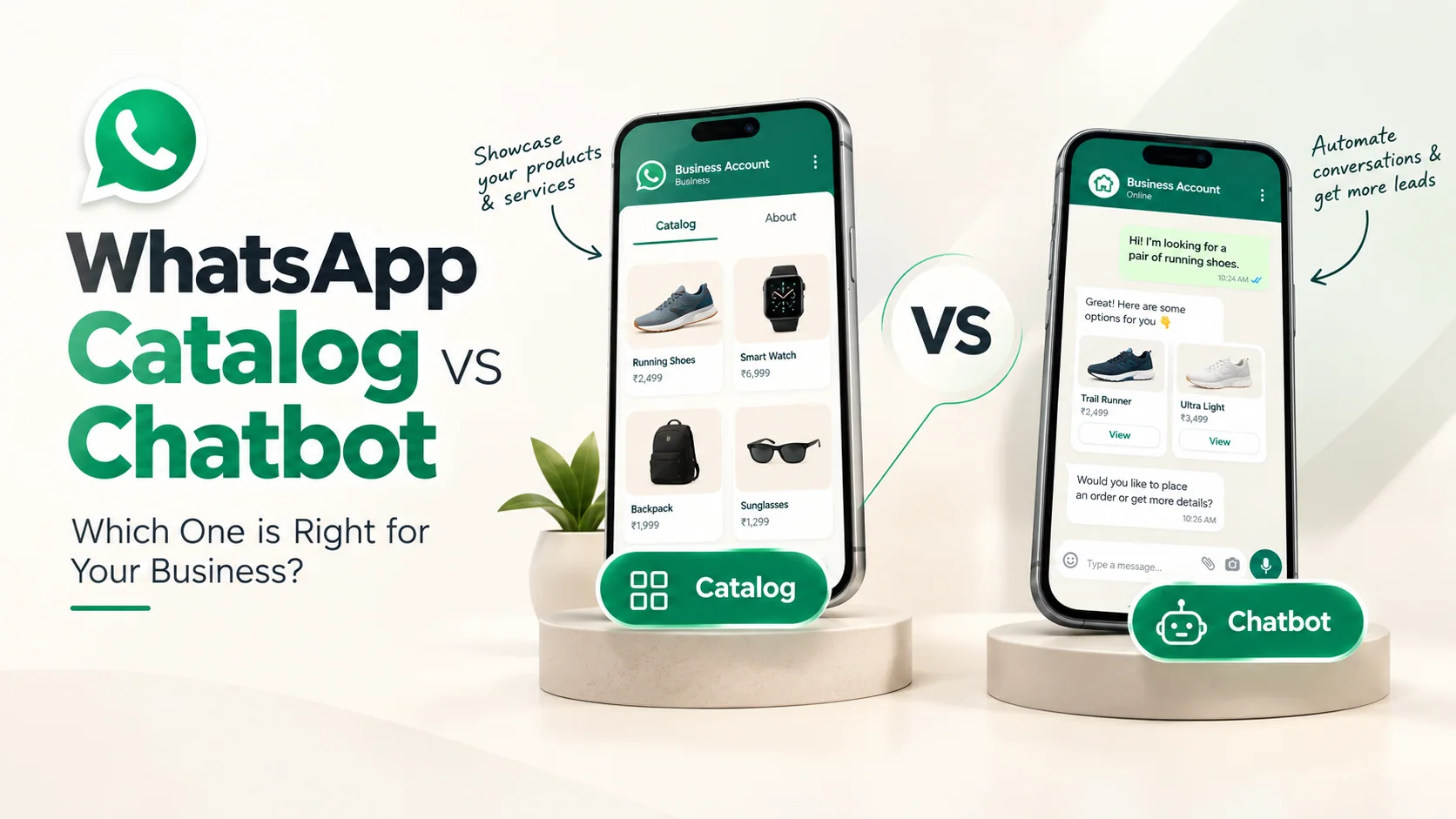
- The two aren't rivals: the catalog is the shop window, the chatbot is the person standing in front of it answering questions.
You spent Sunday evening on it. Photographing every product, typing out prices, uploading them one by one into WhatsApp's catalog tab. Monday morning, someone taps into it from your Instagram bio, scrolls through, and messages: "Is the blue one available in size M?"
You're in a meeting. They wait forty minutes. By the time you reply, they've already asked the same question to the next shop that came up in their search.
The catalog did its job. It showed them what you sell. It just couldn't do the next part. That's not something to fix in the catalog. It's a different tool's job entirely, and it helps to know exactly where the line sits before you decide you need to buy anything at all.
What the WhatsApp catalog actually is
Strip away the marketing language and the catalog is simple: it's a scrollable product list living inside your WhatsApp Business profile, built with the free WhatsApp Business App. No coding, no monthly fee, no approval process beyond the basic one Meta already runs on your business account. You add a product name, price, description, and photos. It shows up as a little storefront tab that anyone can open before they've even messaged you.
Two limits worth knowing exactly, because "how many products can I list" comes up a lot: up to 500 products per catalog, and up to 10 images per product. One WhatsApp Business Account gets exactly one catalog. You can't run a separate one for, say, your bridal line and your everyday line, on the same number. Both caps are set by Meta at the platform level, not something any tool on top of WhatsApp can raise.
For a saree boutique, a bakery doing festive hampers, a furniture workshop, or a real-estate brochure of available flats, this alone is genuinely useful. It replaces the PDF price list nobody opens and the "please send photos" back-and-forth that used to eat your morning.
What it's genuinely good at
Give the catalog its due: it's not a weak feature, it's a narrow one.
- Zero setup cost. No developer, no subscription, live in an afternoon.
- Always-on browsing. A customer scrolling at 11 pm sees your full range without waking anyone up.
- One link, shareable anywhere. Drop the catalog link in your Instagram bio, your Google Business profile, or a WhatsApp status, and it works the same everywhere.
- Cuts the obvious questions. "What do you sell" and "what does it cost" stop being questions people need to ask you directly.
Honestly, for a lot of small setups (a home baker doing 15 orders a week, a tailor with a fixed rate card, a stationery shop), a well-organised catalog plus you personally replying might be the entire solution. You don't need a bot answering five messages a day. That's not a business problem yet; it's just Tuesday.
Where it hits a wall
The wall shows up the moment a question needs an answer that changes: by the hour, by the customer, or by what's actually left in the shop. A catalog is static. It's the same page for everyone, updated only when you sit down and edit it. Three questions it structurally can't handle:
- "Is this in stock right now?" WhatsApp doesn't sync with your inventory or your POS system (the point-of-sale software that tracks what's sold and what's left), so there's no live "3 left" counter anywhere on the catalog. If something sells out, you go into the app yourself: Catalog → the product → More → Edit → Hide. It stays hidden, not deleted, so all the approved details are saved for whenever you unhide it. That's manual busywork every time something runs out. Forget to do it, and customers keep asking about products you don't have.
- "Can I get this by Friday?" That's a delivery-timeline or appointment-slot question. The answer depends on your current queue that day, not on anything fixed in a product listing.
- "Can I pay a deposit to hold it?" The catalog can show a price. It can't take money.
This is the honest gap in almost every "how to set up your WhatsApp catalog" guide floating around. They walk you through uploading products and stop there, as if browsing were the finish line. It isn't. Browsing is just the middle step, not the sale itself. What happens in the next message, the one where someone actually wants to buy, is exactly what these guides go quiet on.
What a chatbot adds on top
A chatbot, or at the more capable end, an AI agent trained on your business, doesn't replace the catalog. It sits in the conversation around it.
Practically, on a real WhatsApp Agent setup like ours, that means the agent can pull items from your existing catalogue straight into the chat. It can also answer the questions that change from person to person, like delivery timelines, availability, or a price question that needs a human-sounding "yes, and here's what that includes." It can book the appointment or site visit, and hand over a payment link, all without the customer leaving WhatsApp or waiting for you to be free.
Where the catalog answers "what do you sell," the agent answers "can I have this, and how do I pay you." That's the entire difference in one sentence: a catalog shows, a bot closes.
If you're running a salon, that's the gap between someone seeing your price list and someone actually landing in your appointment book. See our piece on WhatsApp bots for salon booking for how that specific flow works. Restaurants have the same gap between a PDF menu and an actual completed order. That's covered in WhatsApp ordering bots for restaurant menus. And if you're a clinic sending a services list, our clinic WhatsApp bot piece covers turning "what are your OPD timings" into a confirmed slot.
See how the WhatsApp Agent works and what it costs →
Catalog and bot together: the shop-window analogy
Think of the catalog as the shop window and the bot as the person standing just inside the door. The window does real work. It stops people walking past without a glance, and it sets expectations on price and range before anyone even speaks. But nobody expects the window to answer questions, hold an item, or take payment. That's what the person at the door is for.
Practically, this means you're not choosing one over the other. The catalog stays exactly as it is: free, native, doing what it does well. The bot reads that same catalog and adds the layer of conversation and action around it. Setting up a catalog doesn't get undone or replaced when you add a bot; it becomes one of the things the bot can reach for mid-conversation.
For a real-estate business specifically, the catalog can hold your available units with photos and pricing, while the bot is what actually qualifies a lead's budget and books the site visit for the weekend. Our real-estate WhatsApp lead piece goes into that split in more detail.
Building the catalog properly (the part worth doing yourself)
If you haven't set one up yet, here's the whole process. Genuinely, this part you can and should do yourself:
- Open WhatsApp Business App → Settings → Business tools → Catalog.
- Tap Add new item. Upload up to 10 photos per product. Use the first photo for the exact product a customer would search for, since that's the one shown in previews.
- Fill in name, price, and a short description. Skip vague titles like "Item 1"; write it the way a customer would actually type it into search.
- Repeat up to your cap of 500 products. Group similar items with clear category names in the title (e.g., "Kurti - Cotton, Mustard, M/L/XL") so scrolling doesn't turn into scrolling forever.
- Once live, grab the catalog link from the Catalog tab and drop it in your Instagram bio, Google Business Profile, and WhatsApp status.
- Build a habit of going through the catalog once a week and hiding anything that's sold out, so customers don't keep asking about products you don't have.
Fifteen minutes of setup. Step 6 is the only ongoing cost, and it costs you time, not money.
So do you actually need a bot on top?
Not automatically. If your WhatsApp volume is low enough that you're personally replying within the hour most days, a catalog plus you is a complete, honest answer. Adding a bot on top of five daily messages is solving a problem you don't actually have yet. Worth checking the actual cost math before deciding either way; our WhatsApp chatbot cost breakdown walks through what it runs to versus what a missed enquiry actually costs you.
The signal to watch for is repetition and timing, not volume alone. Look out for the same five questions on loop, enquiries landing after you've closed for the day (our after-hours auto-reply piece covers that specific gap), or a festive-season spike where the catalog link gets shared widely and suddenly forty people are asking about stock at once. That's the point where a static list stops being enough and a conversation that can actually answer, book, and collect payment starts paying for itself.
One more thing worth knowing if you're comparing tools seriously: whether you're on the free WhatsApp Business App or the paid WhatsApp Business API changes what's even possible to automate. A bot needs the API layer that the plain app simply doesn't give you. Our WhatsApp Business App vs API comparison lays out exactly where that line sits.
So, is your catalog doing the browsing, and is something else doing the closing? Think about the last message your catalog couldn't actually answer.
Questions people also ask
Is the WhatsApp catalog free to use?
Yes. The product catalog is a built-in feature of the free WhatsApp Business App. There's no Meta fee and no subscription required to create one, add products, and share it with customers. You only start paying for anything once you add automation, payment collection, or a chatbot on top of it, and that's a separate layer entirely.
How many products can I add to a WhatsApp catalog?
Up to 500 products per catalog, with up to 10 images per product. One WhatsApp Business Account gets exactly one catalog, so you can't run two separate ones for two product lines on the same number.
Does the WhatsApp catalog show real-time stock?
No. WhatsApp doesn't sync with your inventory or POS system (the software that tracks stock at your checkout) on its own. If something sells out, you have to open the app and hide that product manually: Catalog → Product → More → Hide. Hiding, not deleting, keeps the listing ready to switch back on the moment you restock.
Can a chatbot show products from my WhatsApp catalog?
Yes. A chatbot or AI agent running on the WhatsApp Business API can pull items straight from your existing catalog into the conversation. It can also answer questions the catalog itself can't, like availability, delivery timelines, or price negotiation, and then hand the customer a payment link without them ever leaving the chat.
Do I need the WhatsApp Business API to have a catalog?
No. The catalog itself works on the free WhatsApp Business App, no API needed. The API only becomes necessary once you want a bot or agent answering on your behalf, since that's what the API is built to support and the plain app isn't.